INVOICE IMPORT
Scan to invoice
Turn photos or a multipage PDF into an editable invoice draft.
- 1 Choose document
- 2 Review details
- 3 Save draft
Choose an invoice
One invoice at a time · PDF, JPG or PNG · 3 MB total · up to 20 PDF pages or 8 photos
Sign in before starting so you can save your reviewed invoice as a draft.
Sign in to importConvert to CSV without an accountFiles stay on your device unless you choose upload recognition.
First use downloads models. Review before exporting or saving.
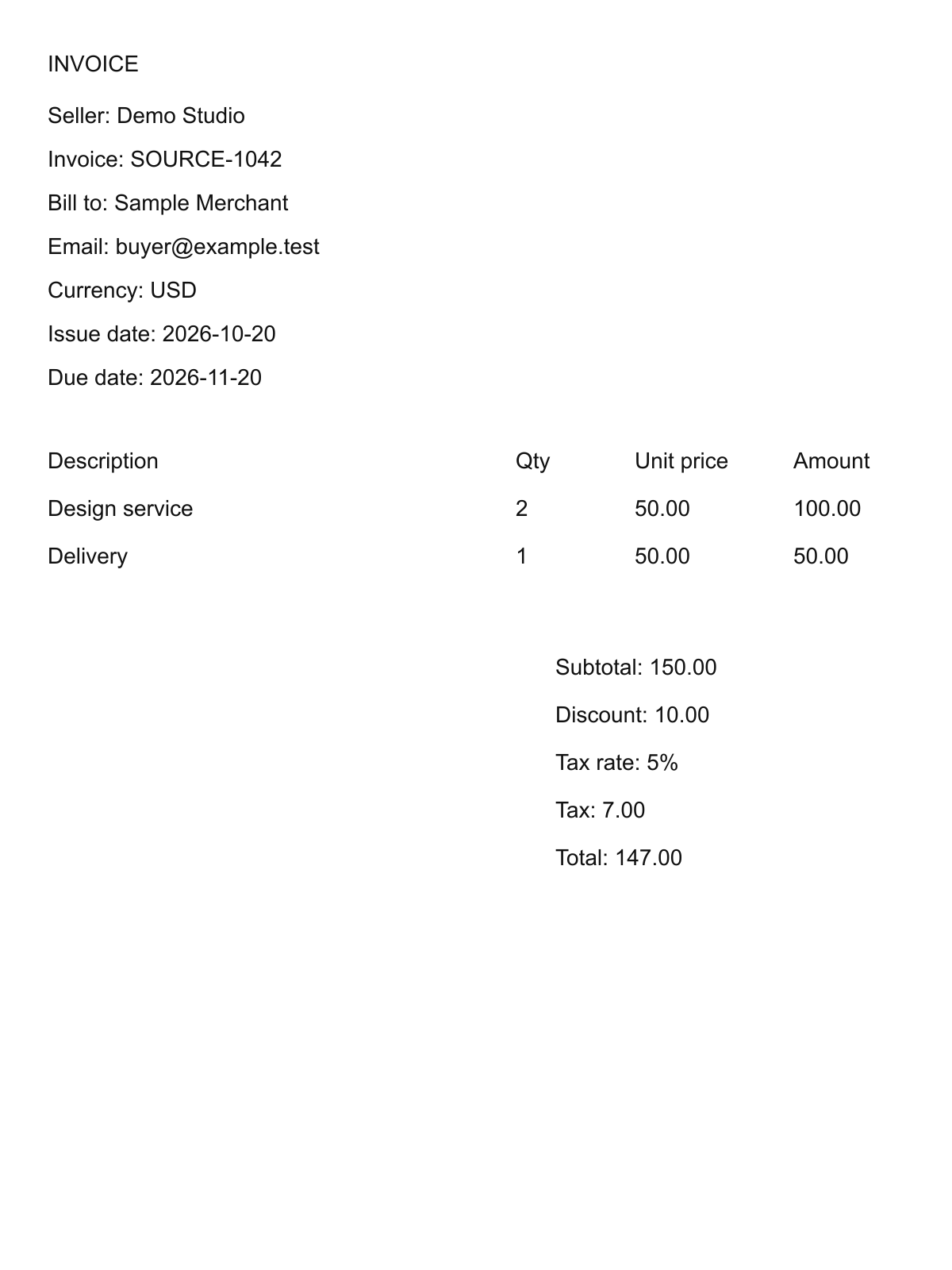
Example output
Synthetic sample · USD. Check your results against the original.
| Description | Quantity | Unit price | Amount | Source page |
|---|---|---|---|---|
| Design service | 2 | 50 | 100 | 1 |
| Delivery | 1 | 50 | 50 | 1 |
Common questions
What happens when I save?
Sign in to save a reviewed sales invoice as a draft with a new invoice number. Nothing is sent or marked paid. Supplier bills support CSV export only.
Are my files uploaded?
Read locally first. Upload to OpenRouter only when you choose it. CSV stays on your device; saving a draft sends reviewed details to your account.
Local recognition downloads models on first use and does not use the upload allowance. When enabled, upload recognition allows 3 uploads per network per day, subject to shared capacity.
Which files and pages are supported?
One invoice at a time · PDF, JPG or PNG · 3 MB total · up to 20 PDF pages or 8 photos. Keep pages of the same invoice in order. The sample PDF places delivery on page 2. These tools are also available in the Mobile app.
What if a field is wrong or missing?
Correct fields and add missing lines before confirming. Blank means unknown. Check quantities, discounts, tax and total against the original; retry with a clearer, upright scan if needed.
How do I open the CSV?
Excel: Data → From Text/CSV, with UTF-8 and a comma delimiter. Google Sheets: File → Import → Upload. Check dates and identifiers with leading zeros.