DOCUMENT CONVERTER
Invoice PDF to CSV
Turn invoice PDFs and scans into a spreadsheet you can review and export.
- 1 Choose document
- 2 Review details
- 3 Export CSV
Choose an invoice
One invoice at a time · PDF, JPG or PNG · 3 MB total · up to 20 PDF pages or 8 photos
Files stay on your device unless you choose upload recognition.
First use downloads models. Review before exporting or saving.
Example output
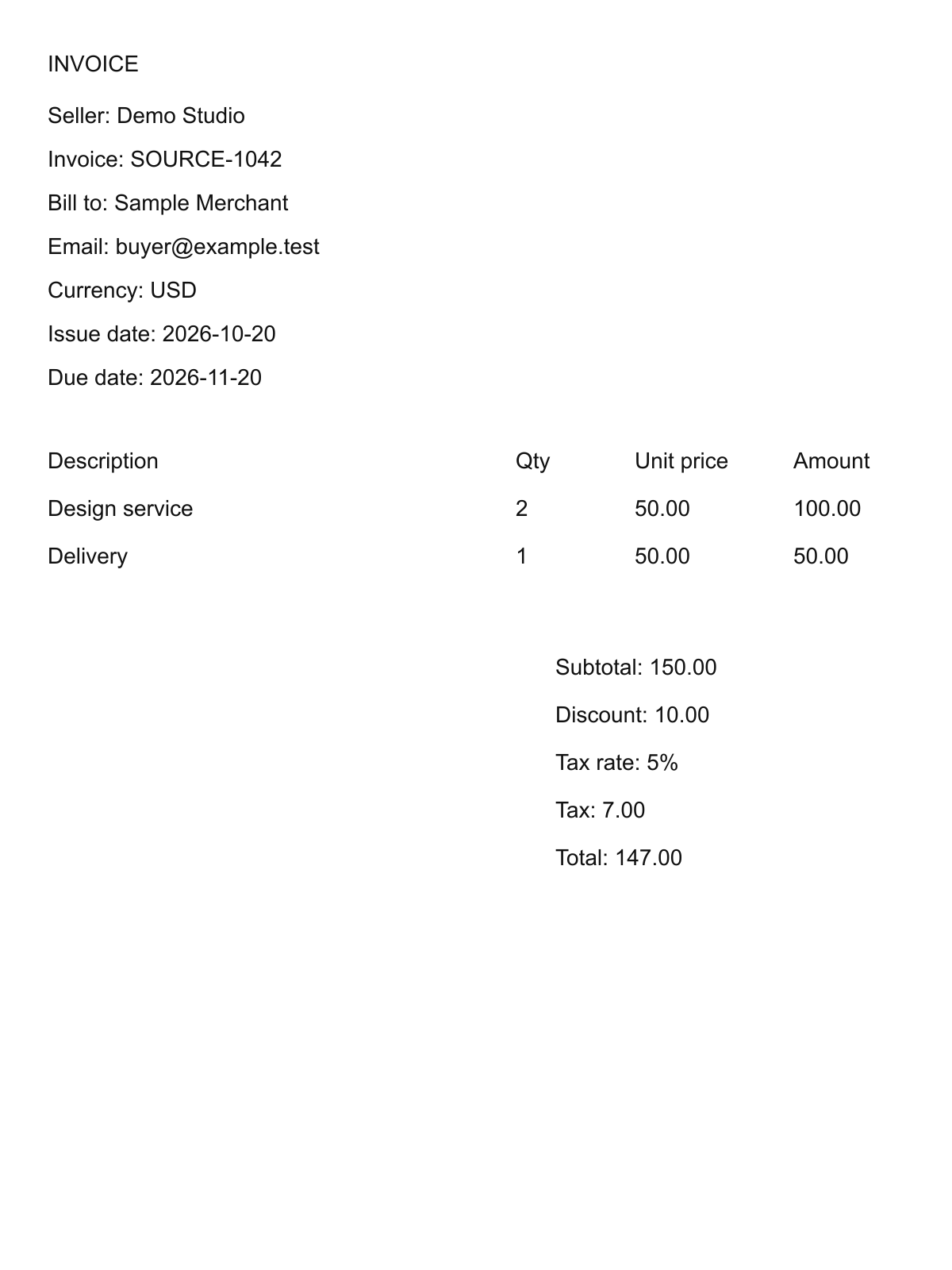
Synthetic sample · USD. Check your results against the original.
| Description | Quantity | Unit price | Amount | Source page |
|---|---|---|---|---|
| Design service | 2 | 50 | 100 | 1 |
| Delivery | 1 | 50 | 50 | 1 |
Common questions
What can I export?
Export a summary or one row per line item, including its source page. No account needed. CSV opens in Excel and Google Sheets; it is not an .xlsx workbook.
Are my files uploaded?
Read locally first. Upload to OpenRouter only when you choose it. CSV stays on your device; saving a draft sends reviewed details to your account.
Local recognition downloads models on first use and does not use the upload allowance. When enabled, upload recognition allows 3 uploads per network per day, subject to shared capacity.
Which files and pages are supported?
One invoice at a time · PDF, JPG or PNG · 3 MB total · up to 20 PDF pages or 8 photos. Keep pages of the same invoice in order. The sample PDF places delivery on page 2. These tools are also available in the Mobile app.
What if a field is wrong or missing?
Correct fields and add missing lines before confirming. Blank means unknown. Check quantities, discounts, tax and total against the original; retry with a clearer, upright scan if needed.
How do I open the CSV?
Excel: Data → From Text/CSV, with UTF-8 and a comma delimiter. Google Sheets: File → Import → Upload. Check dates and identifiers with leading zeros.